1 · Connect a known provider
How do you connect a cleaner to Morphic?
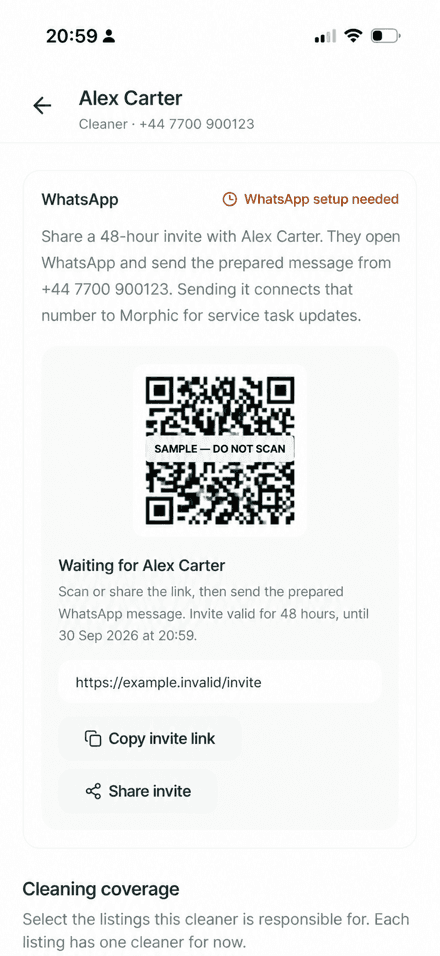
From Tasks, add the provider's name, WhatsApp number with country code, and service role. Create a WhatsApp invite, then ask the provider to send the prepared message from the saved number. The invite expires after 48 hours, and a new invite is required after expiry.
A successful connection gives the host a provider record and a Service thread. The provider can receive task requests and updates in WhatsApp without installing the Morphic app.
2 · Save coverage
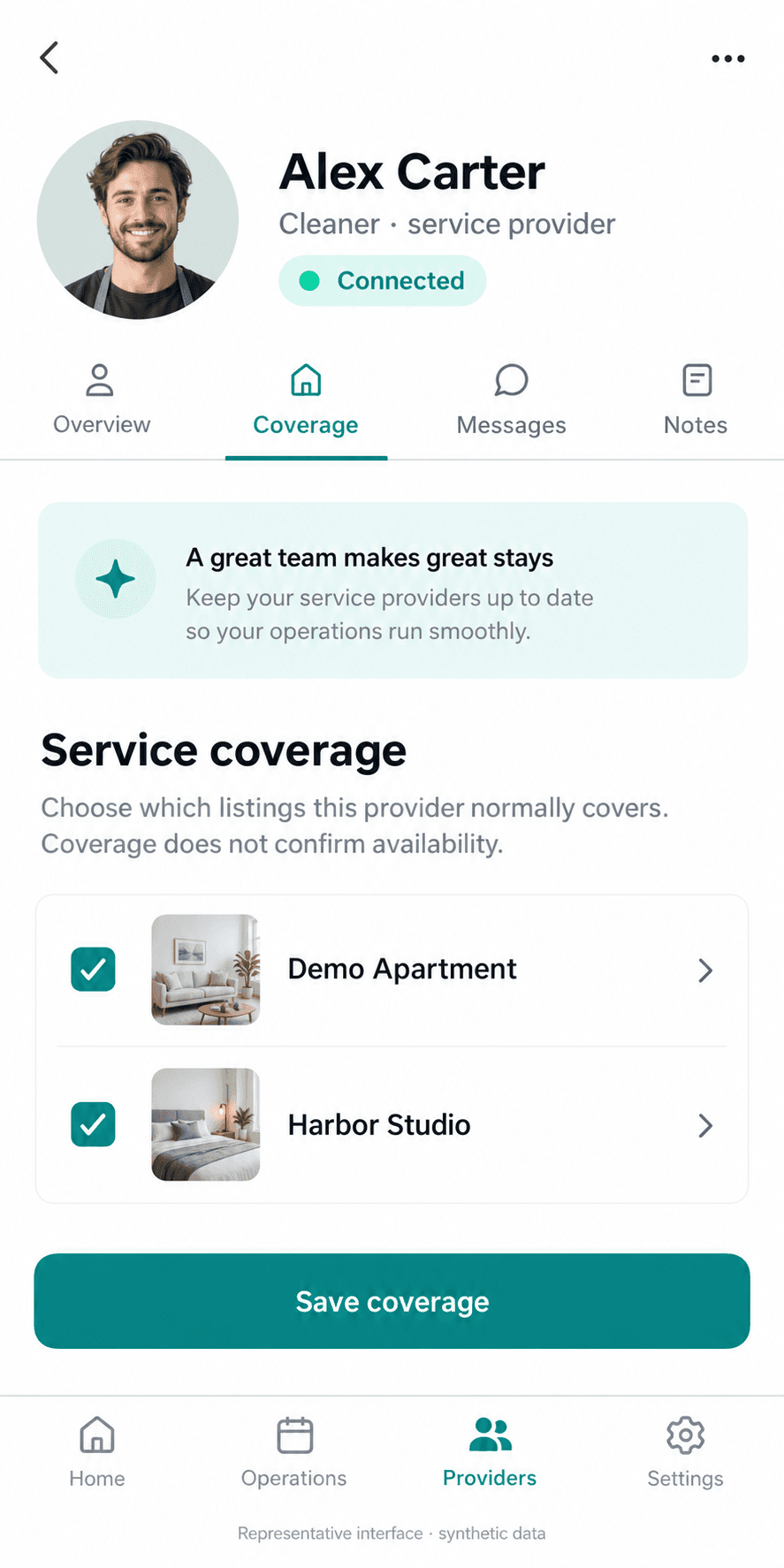
Coverage tells Morphic who normally handles a listing.
Open the provider, select the listings they cover, and save. Coverage is a routing input: it helps Morphic propose the right known provider for a turnover. It does not assign a task, prove availability, or confirm that cleaning has started.
You can save coverage while WhatsApp setup is pending. Once the connection succeeds, the same coverage remains available for the next task.
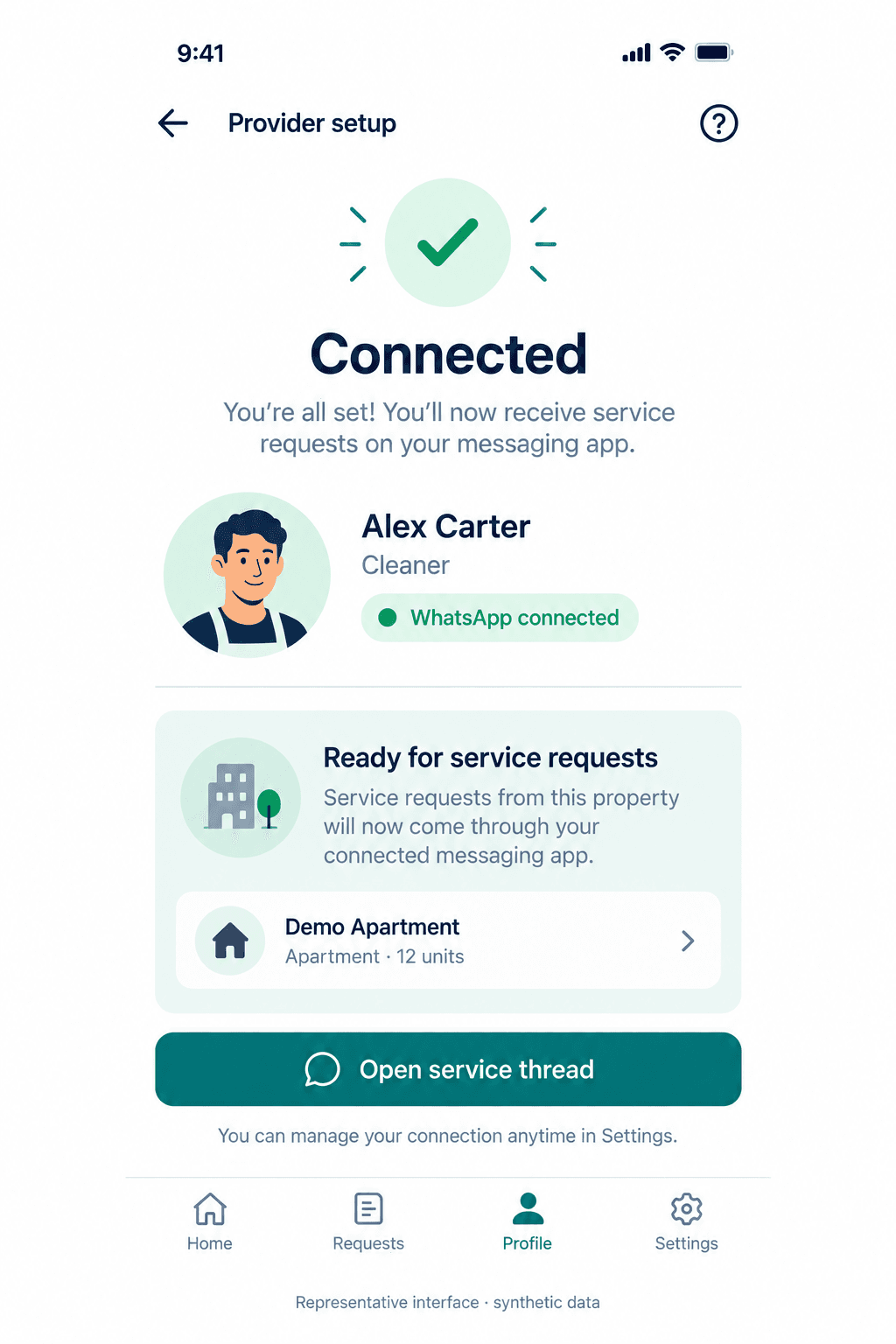
Connection receipt
The connection confirms the provider channel; it does not assign work or prove availability.
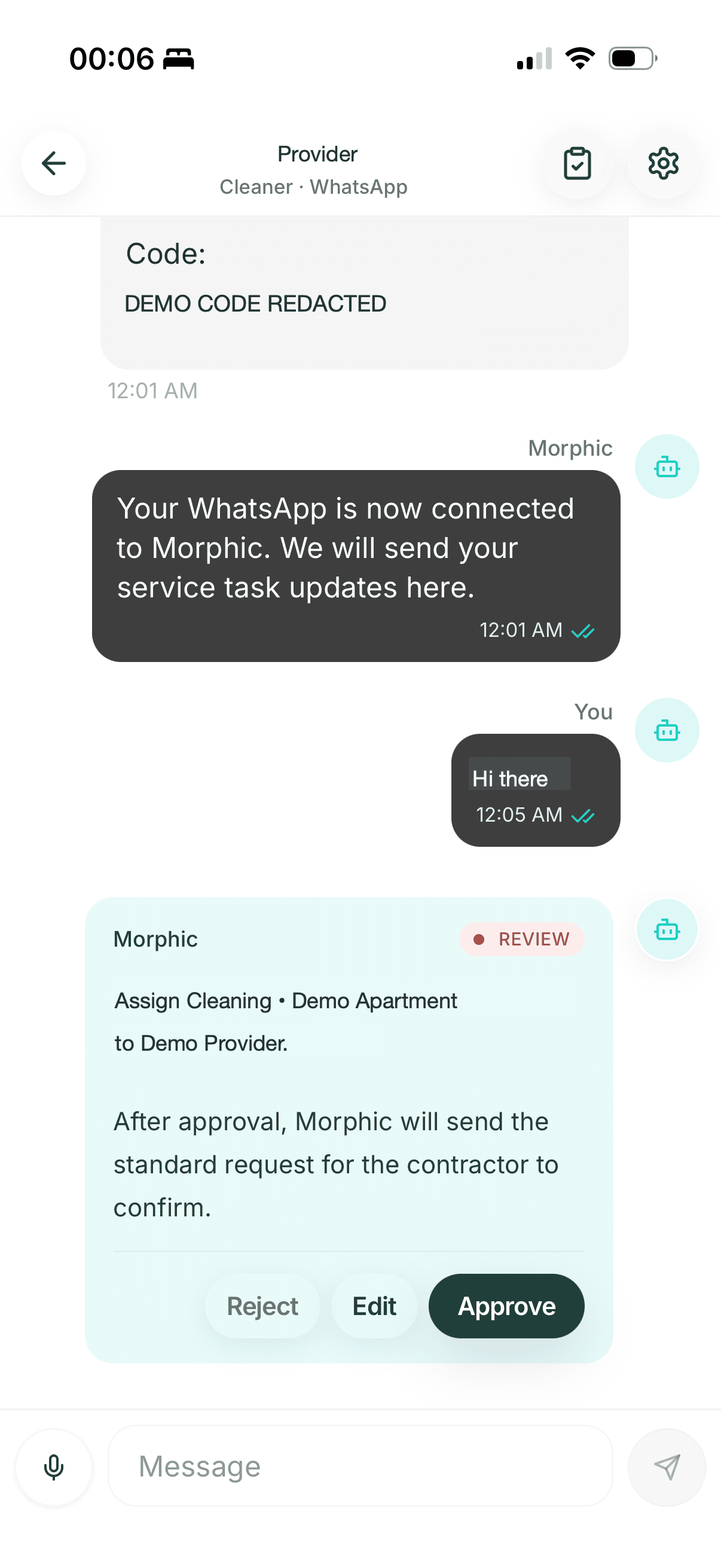
Assignment review
Sanitized product screenshot. This is the host approval step, not provider acceptance. After approval Morphic sends the request; the task remains Awaiting confirmation until the provider confirms.
AI Guides → Automations → Turnover (Beta)
Turnover settings and current limits
Morph creates a turnover task for every checkout, up to 14 days ahead. The Turnover automation supports Manual, Copilot (the default), and Autopilot. Copilot requires approval; automatic assignment requires both Turnover and the Service thread in Autopilot. A sent request still needs contractor confirmation.
| Setting | Default | What it does |
|---|---|---|
| Start Review before checkout | 5 days | When an unarranged turnover starts asking for your review. Same day to 14 days. |
| Follow up on checkout day | 07:00 | When Morph checks in on the day if the turnover is still not confirmed. |
| Ready by | 1 hour before the next check-in | The deadline used for the next guest. Fixed. |
- Contractor roles: Cleaner, Plumber, Electrician, Inspector, or Other.
- Backup handoffs depend on configured eligible contractors and the service conversation mode. Manual leaves the decision to you; Copilot prepares a proposal for review; Autopilot can offer the task to an eligible backup. A sent offer is not proof that cleaning is complete.
- Only checkout turnovers are created automatically. Add repairs, inspections, and other jobs with Create task.
- Morph writes to each contractor in the language set on their contractor profile.
5 · Follow the task state
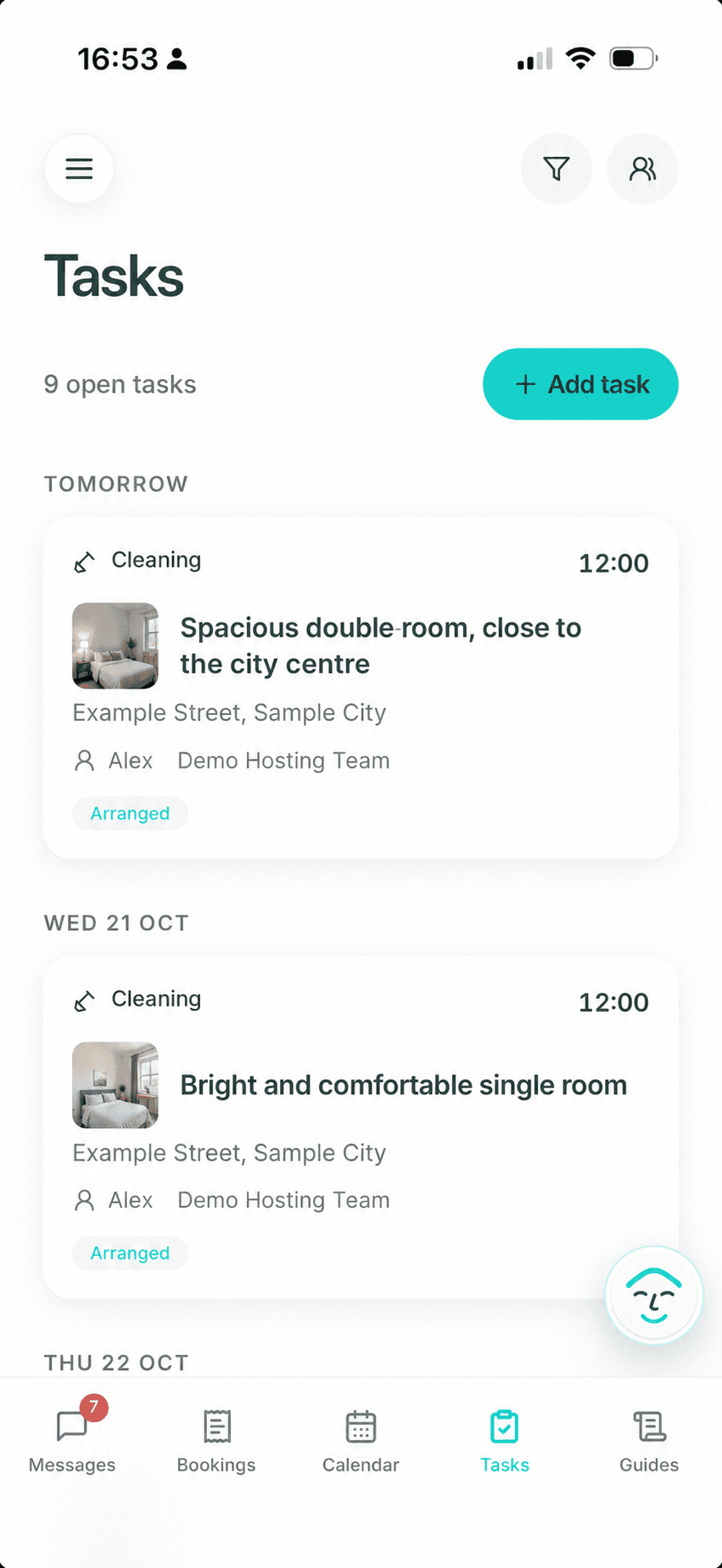
What does each cleaning task state mean?
A sent message is not the same as an accepted arrangement. Review is an attention alert, not a task status. Use the task state as the operating record and return exceptions to the host before making an arrival promise.
6 · Follow the provider-side sequence
What does the cleaner see after a turnover request is sent?
The provider receives a focused WhatsApp task instead of the guest conversation. A request can be confirmed, declined, cancelled after a booking change, reconfirmed before the work, or returned as a completion update or issue. These events update coordination state; they do not independently inspect the property.
The examples below are synthetic illustrations with fictional details and a consistent WhatsApp-style layout; exact message wording can vary.
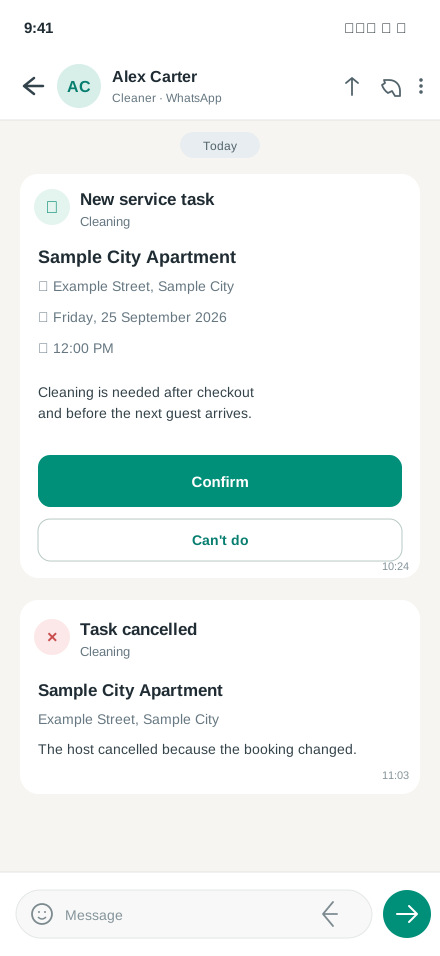
Request or cancel
Send the booking-linked task, then cancel it when the underlying work is no longer required.
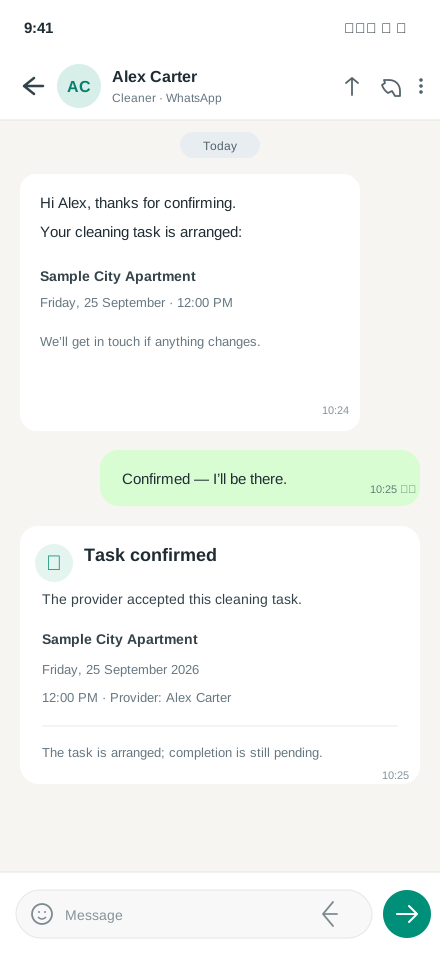
Record acceptance
The task becomes Arranged only after the provider explicitly confirms the timing.
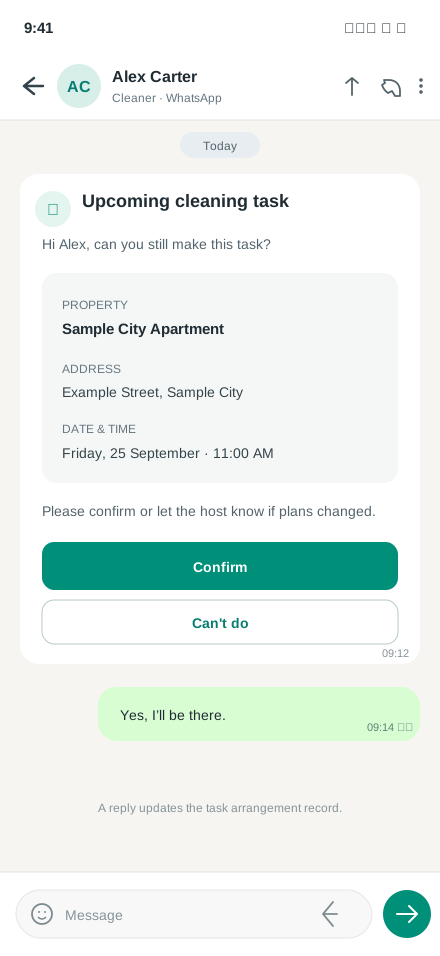
Reconfirm before arrival
A reminder can surface a timing conflict before it becomes a same-day guest problem.
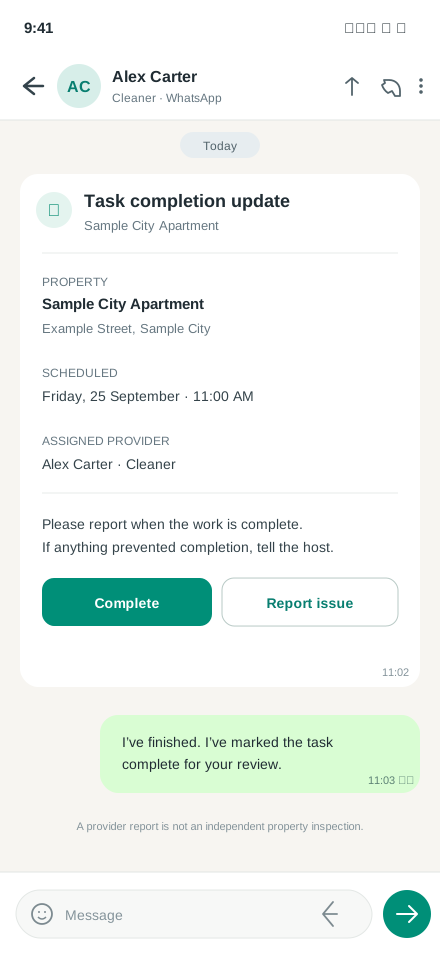
Complete or report an issue
A provider report closes or escalates the task; it is not independent readiness verification.
Boundaries that protect the guest promise
Completed is a provider report, not an inspection.
Use a specialist when...
You need inspections, photos, GPS, payments, inventory, repairs, or many-provider dispatch.
Use a person when...
A safety issue, access problem, damage, or physical condition needs local judgment.
Use Morphic when...
You already know the responsible provider and need the Airbnb booking, WhatsApp follow-up, and host exception in one workflow.
A provider's completion report does not itself guarantee that the property is guest-ready. Keep the host or an appropriate local or specialist verification process responsible for the final guest-facing promise.