
Airbnb Guest Communication Guide for Hosts
Plan Airbnb guest communication from inquiry to checkout: message timing, duplicate-send checks, unresolved requests, and when to use templates, AI or human help.
Written and reviewed by Liam, Founder, Morphic
Guide fit
Airbnb hosts improving guest communication, message timing, response quality, and host-control rules
Short answer
Plan the message, answer the question, and follow the request through.
Good Airbnb guest communication covers inquiry, booking, arrival, the stay and checkout. Automate predictable information with scheduled messages, use confirmed facts for contextual answers, and track requests that need action. Keep one sender per routine; use people for consequential decisions or physical work. Start with the setup steps below, or jump to the schedule and tool-selection checklist.
Plan
Send useful information at the right stage
Cover inquiry, booking, arrival and checkout without duplicate or stale messages.
Respond
Use confirmed facts and know when to pause
Answer routine questions; ask the host about money, safety, uncertain access or service readiness.
Follow through
Close the request and improve the next stay
An acknowledgment is not resolution. Track the responsible person and turn repeated questions into clearer guidance.
What Airbnb guest communication means
Airbnb guest communication is the conversation from the first inquiry to the final review: answering booking questions, sending arrival details, helping during the stay, and following up after checkout. Good communication gives the guest accurate information at the right time and keeps requests open until the necessary action is complete—not merely until a reply has been sent.
This guide helps you build that workflow: decide what to schedule, what needs a contextual answer, and when a person must act. Work through one routine below, then adapt the timing and examples to your listing.
Need the actual guest document rather than a message plan? Use the editable Airbnb guidebook and house-manual template for copyable fields, public/private sharing and native Airbnb setup. Return here for timing, sender ownership and requests that remain open after a reply.
Choosing a product instead? See Airbnb guest messaging software for the direct Airbnb workflow, setup and price, or compare guest communication tools for native tools, named providers, connection requirements and total cost. You do not need another subscription just to follow this guide.
How to automate guest communication for Airbnb
Start with one recurring communication job, not a blanket auto-reply switch. Use scheduled messages for predictable information, contextual replies for guest questions, and a follow-up workflow for requests that still need action. The goal is to remove repeat work without sending stale instructions or mistaking an acknowledgment for a resolved issue.
Set up one routine in five steps
Use one listing and one recurring job first. Work through these checks before expanding to more messages or properties.
-
Choose the job and its sender. Start with one job, such as arrival instructions. Assign it to Airbnb’s scheduler or one other tool—not both. Check: the guest will receive one version of the information, with one person responsible for exceptions.
-
Confirm the reservation and property facts. Check the stay dates, local check-in time, current instructions and approved policy. Check: a changed reservation or missing access detail cannot produce a stale or invented promise.
-
Set the trigger, timing and review rule. Decide what starts the routine, when it should run, and what cancels it or returns it to the host. Check: cancellation, uncertain readiness and a policy exception have an explicit next step instead of an unconditional send.
-
Test ordinary and changed stays. Preview a normal booking, a date change and a same-day booking; review the timing and rendered message for each. Check: the right information reaches the intended stay without a duplicate or a missed timing condition. Use a preview or review-only flow where available; do not send test messages to real guests without permission.
-
Inspect the conversation and any unfinished work. After a permitted real send, check delivery and whether the guest’s question or request still needs action. Check: an open request has a responsible person and a next update; an acknowledgment is not counted as completion. Expand only after the routine passes these checks.
Worked example: one arrival message, from setup to delivery
Suppose a confirmed guest arrives on Friday at 3pm. You want one arrival message on Thursday at 10am in the listing’s local time. These are example timings, not Airbnb requirements. Start with a scheduled quick reply for the predictable reminder; use contextual replies only when the guest asks a different question.
| Step | Example configuration or action | What should happen |
|---|---|---|
| Prepare the message | “Hi [guest name], we look forward to welcoming you on [arrival date]. Check-in starts at [confirmed time]. Parking: [verified directions]. Find your arrival instructions at [approved location].” | Use supported fields or replace every bracketed placeholder; these brackets are editorial labels, not Airbnb shortcode syntax |
| Choose the trigger | One designated sender; one day before check-in, 10am in the listing’s local time | Preview the correct stay, actual local send time and completed message |
| Handle a changed stay | The guest moves arrival to Saturday | Recheck the reservation and schedule before sending; do not leave Friday’s information in the reply |
| Handle a cancellation or late booking | The booking is cancelled, or made after the planned reminder time | Check native skip rules and the conversation; do not force an obsolete reminder or send a duplicate |
| Confirm the send | Open the actual guest conversation after the permitted send | Confirm the message was sent once with the current arrival information; a scheduled item alone is not delivery |
| Follow the new request | The guest replies: “Can we arrive at 1pm?” | Check the policy and readiness with the responsible person before confirming an exception; keep this request open until the answer is known |
- Step
- Prepare the message
- Example configuration or action
- “Hi [guest name], we look forward to welcoming you on [arrival date]. Check-in starts at [confirmed time]. Parking: [verified directions]. Find your arrival instructions at [approved location].”
- What should happen
- Use supported fields or replace every bracketed placeholder; these brackets are editorial labels, not Airbnb shortcode syntax
- Step
- Choose the trigger
- Example configuration or action
- One designated sender; one day before check-in, 10am in the listing’s local time
- What should happen
- Preview the correct stay, actual local send time and completed message
- Step
- Handle a changed stay
- Example configuration or action
- The guest moves arrival to Saturday
- What should happen
- Recheck the reservation and schedule before sending; do not leave Friday’s information in the reply
- Step
- Handle a cancellation or late booking
- Example configuration or action
- The booking is cancelled, or made after the planned reminder time
- What should happen
- Check native skip rules and the conversation; do not force an obsolete reminder or send a duplicate
- Step
- Confirm the send
- Example configuration or action
- Open the actual guest conversation after the permitted send
- What should happen
- Confirm the message was sent once with the current arrival information; a scheduled item alone is not delivery
- Step
- Follow the new request
- Example configuration or action
- The guest replies: “Can we arrive at 1pm?”
- What should happen
- Check the policy and readiness with the responsible person before confirming an exception; keep this request open until the answer is known
The result is one correct arrival reminder plus a separate response to any new request, not a second automatic welcome. For the actual Airbnb controls, supported shortcodes, time zones and skipped-message rules, follow the native setup guide. For a contextual reply or action workflow, Morphic supports Copilot and Autopilot; the same current facts and sending-owner rules still apply. This is an original worked example, not a customer transcript or a claim that every tool handles changed stays identically.
Apply the checks to each communication job
| Communication job | Trigger and required context | Automation choice | Stop or return to the host | Check the result |
|---|---|---|---|---|
| Welcome and arrival instructions | Confirmed reservation; current dates, check-in time and approved property instructions | Native scheduled quick reply or one designated scheduling tool | Cancellation, changed dates, missing access information or information already sent | Check the scheduled time and actual conversation; avoid a second sender |
| Routine guest question | Incoming question; relevant listing facts, stay context and approved guidance | Saved reply for a fixed answer; contextual AI for a question that varies with the stay | Missing facts or an exception that needs a decision | Read the answer and verify the facts before trusting the routine |
| Guest request requiring action | An unresolved request; responsible person and agreed next update | Review a proposed action, then track its message and task separately | Money, safety, uncertain access or readiness, or no confirmed owner | Check delivery and the next responsible step; a sent reply alone is not resolution |
| Checkout and feedback | Current departure date and any open issue | A scheduled reminder or a contextual follow-up | Changed checkout, duplicate reminder or unresolved complaint | Check what was sent and whether the open issue needs a personal response |
- Communication job
- Welcome and arrival instructions
- Trigger and required context
- Confirmed reservation; current dates, check-in time and approved property instructions
- Automation choice
- Native scheduled quick reply or one designated scheduling tool
- Stop or return to the host
- Cancellation, changed dates, missing access information or information already sent
- Check the result
- Check the scheduled time and actual conversation; avoid a second sender
- Communication job
- Routine guest question
- Trigger and required context
- Incoming question; relevant listing facts, stay context and approved guidance
- Automation choice
- Saved reply for a fixed answer; contextual AI for a question that varies with the stay
- Stop or return to the host
- Missing facts or an exception that needs a decision
- Check the result
- Read the answer and verify the facts before trusting the routine
- Communication job
- Guest request requiring action
- Trigger and required context
- An unresolved request; responsible person and agreed next update
- Automation choice
- Review a proposed action, then track its message and task separately
- Stop or return to the host
- Money, safety, uncertain access or readiness, or no confirmed owner
- Check the result
- Check delivery and the next responsible step; a sent reply alone is not resolution
- Communication job
- Checkout and feedback
- Trigger and required context
- Current departure date and any open issue
- Automation choice
- A scheduled reminder or a contextual follow-up
- Stop or return to the host
- Changed checkout, duplicate reminder or unresolved complaint
- Check the result
- Check what was sent and whether the open issue needs a personal response
For predictable reminders, start with Airbnb’s scheduled quick replies. Use the automated-message setup and troubleshooting guide for native configuration, time zones and skipped messages. If dynamic answers or unfinished requests are the constraint, compare guest messaging software. Keep a PMS when channel distribution or back-office work is the main requirement, and people for physical service and urgent judgment.
A guest communication schedule you can adapt
Use this suggested cadence as a starting point, not a rule to send every message to every guest. These are editorial recommendations, not Airbnb-required sending times. Adjust them to the reservation, the property, and what the guest already knows.
| Stage | Useful starting point | Include | Pause or combine when |
|---|---|---|---|
| Inquiry | Respond to the actual question | Verified listing facts and any missing detail needed to answer | Availability, an exception, or a promise is not yet confirmed |
| Booking confirmed | After confirmation | A short welcome, reservation details, and when arrival information will follow | A same-day booking needs arrival information now; avoid a second welcome |
| Before arrival | A day or two before arrival, adjusted to travel needs | Directions, parking, check-in time, and where to find approved access instructions | Dates changed, the booking was cancelled, or the guest already has the information |
| Arrival | At the agreed check-in point if useful | The confirmed access plan and who to contact if it fails | Cleaning or access is unconfirmed; do not say the property is ready |
| During the stay | One useful check-in after arrival, if needed | A short invitation to flag problems | An issue is already open; give its actual progress instead of a generic check-in |
| Checkout and follow-up | Before departure, then a brief thank-you afterward | Agreed checkout instructions and a neutral invitation to give feedback | Checkout changed or an unresolved complaint needs a personal response first |
- Stage
- Inquiry
- Useful starting point
- Respond to the actual question
- Include
- Verified listing facts and any missing detail needed to answer
- Pause or combine when
- Availability, an exception, or a promise is not yet confirmed
- Stage
- Booking confirmed
- Useful starting point
- After confirmation
- Include
- A short welcome, reservation details, and when arrival information will follow
- Pause or combine when
- A same-day booking needs arrival information now; avoid a second welcome
- Stage
- Before arrival
- Useful starting point
- A day or two before arrival, adjusted to travel needs
- Include
- Directions, parking, check-in time, and where to find approved access instructions
- Pause or combine when
- Dates changed, the booking was cancelled, or the guest already has the information
- Stage
- Arrival
- Useful starting point
- At the agreed check-in point if useful
- Include
- The confirmed access plan and who to contact if it fails
- Pause or combine when
- Cleaning or access is unconfirmed; do not say the property is ready
- Stage
- During the stay
- Useful starting point
- One useful check-in after arrival, if needed
- Include
- A short invitation to flag problems
- Pause or combine when
- An issue is already open; give its actual progress instead of a generic check-in
- Stage
- Checkout and follow-up
- Useful starting point
- Before departure, then a brief thank-you afterward
- Include
- Agreed checkout instructions and a neutral invitation to give feedback
- Pause or combine when
- Checkout changed or an unresolved complaint needs a personal response first
For example: “Thanks for booking, [name]. Check-in starts at [confirmed time]. I will share arrival details by [time you can meet]. Let me know if you have a question before then.” This is an original example to edit, not a real guest message or a working shortcode template. Replace every bracketed field before sending.
Keep one sending system responsible for each routine message so Airbnb native schedules and another tool do not both send the same welcome. Check the conversation before a manual follow-up. For native configuration and skipped, late, or duplicate messages, use the Airbnb automated-message setup and troubleshooting guide.
Airbnb documents its scheduling controls and exceptions in scheduled quick replies, checked 27 September 2026. The cadence above is separate operating advice. Contextual questions can use approved factual replies; uncertain promises, safety issues, money, and service exceptions need host review.
Guidebook, QR code, scheduled message, or AI reply?
These surfaces solve different jobs. A digital guidebook or QR code is a guest-facing self-service layer. A scheduled message is a time-based reminder. An AI reply is a conversation-native response that can use the question, booking stage, property context, and the host's approved guidance before preparing an answer or next action.
Use a guidebook or QR link for stable information guests may want to browse: Wi-Fi, parking, appliance basics, checkout steps, or neighborhood tips. A guide can also offer AI Q&A. A separate link does not by itself establish access to the Airbnb thread, but some concierge products additionally connect to a PMS inbox. Verify the actual integration instead of treating “concierge” as one product type.
Use scheduled messages for facts that should arrive at a predictable time: booking confirmation, arrival reminders, check-in details, checkout, or a post-stay thank-you. They do not require the guest to search, but they are not a substitute for a reply that understands why the guest is asking now.
Use a conversation-native AI reply when the guest is already asking the question. It can support the whole lifecycle: pre-booking fit and amenity questions, reservation and arrival planning, in-stay help, issue triage, checkout, and the follow-up that helps the host improve the next stay. The guest does not need to leave the Airbnb thread, scan a QR code, or learn another guest app just to get a relevant answer.
Choose the surface around the next step: browse information, receive a timed reminder, ask a contextual question, or reach a person. Guest Manual describes guide-link Q&A; AIPEX also describes PMS-connected drafts and thread history; Host Pilot describes a phone receptionist. Those are different channels, not a ranking of better or worse AI. See the AI tools and concierge comparison for the dated scope checks. Private AI Guides used by a host assistant are not a guest-facing guidebook.
Information is not service delivery. A local recommendation may be answered from approved house guidance. An airport transfer, extra towel, repair, or early check-in needs a responsible person and confirmed facts. Software can prepare the answer and coordinate the next step; it does not supply local staff or prove the work happened. Follow the open-request workflow below before promising an outcome.
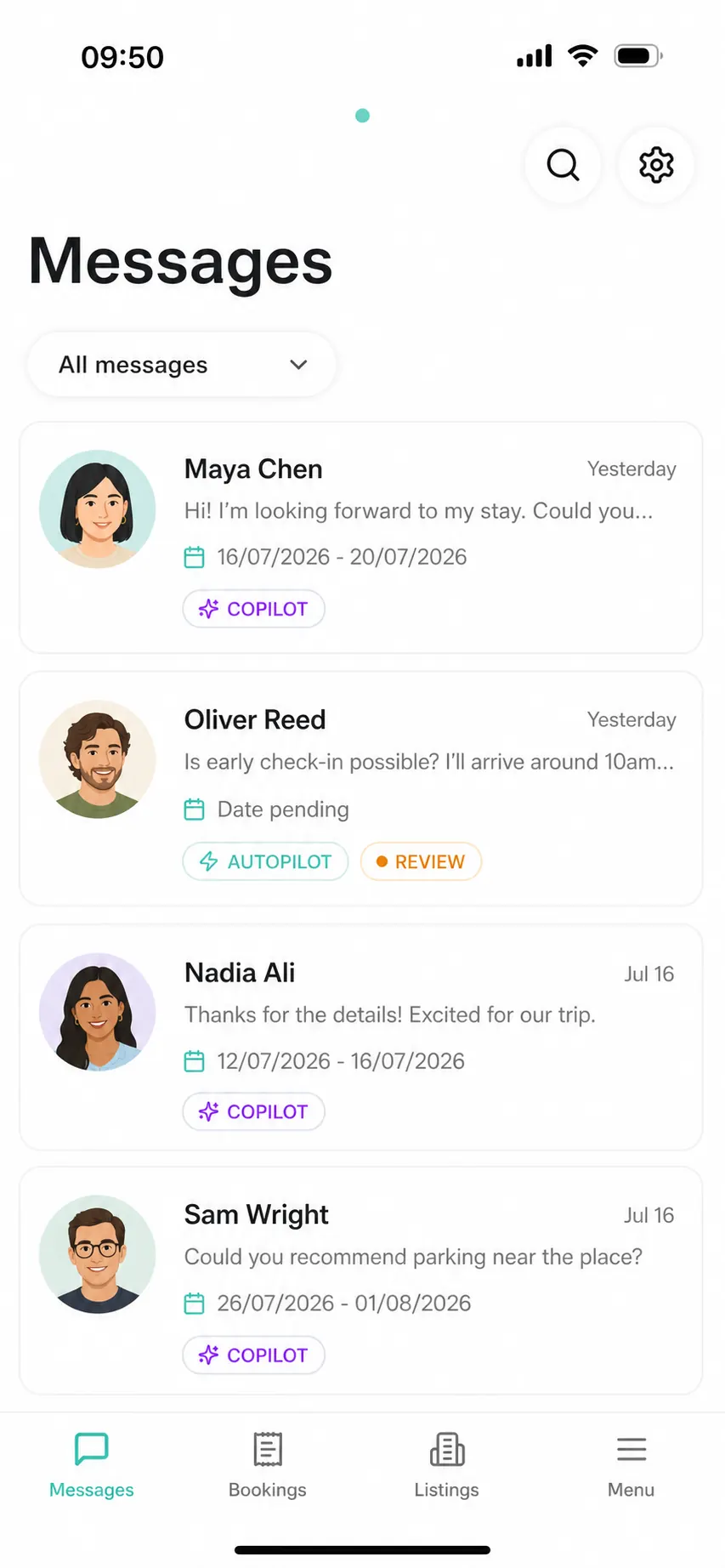
Before booking communication
Before booking, guests are deciding whether the listing fits their trip. The host should answer clearly without overpromising. Common topics include parking, check-in flexibility, pet rules, workspace, Wi-Fi, stairs, accessibility, family setup, local transport, noise, air conditioning, heating, and whether an amenity is private or shared.
This stage is high-value because a slow or vague answer can lose a booking. It is also risky because overconfident answers can create later disappointment. Good software should use listing facts and host-approved guidance, not generic assumptions.
For Morphic, this is where guest questions become listing insight. If guests keep asking the same pre-booking question, the listing probably needs clearer copy or photos.
Before arrival communication
Before arrival, the host should remove uncertainty. Guests should know where to go, how to access the property, where to park, how to use Wi-Fi, when to arrive, what house rules matter most, and what to do if they are delayed.
Scheduled messages work well here because timing is predictable. The host can send arrival details at the right point before check-in, then reserve AI or manual replies for questions that depend on the guest's situation.
The key is specificity. 'Check-in instructions are in the app' is weaker than a concise, property-specific answer that tells the guest where to find the door, how the lock works, what to do if the code fails, and when the host should be contacted.
During-stay communication
During the stay, speed matters, but accuracy matters more. Guests may ask about heating, appliances, towels, trash, parking, local food, noise, missing items, access problems, or whether a rule can be bent.
The question may also arrive with useful visual context. A guest can describe a lock, appliance, stain, or missing item in text, or provide supported photos or video when the channel and workflow allow it. The assistant should use that context to make the reply more specific and coordinate the next step, not pretend that a picture removes the need for host or local judgment.
Low-risk factual answers can be fast. The host should not need to retype the Wi-Fi answer or explain the thermostat from scratch every time. But if the message involves access failure, cleaning uncertainty, safety, damage, a complaint, a refund request, or a policy exception, the system should pause and ask the host.
This is the practical boundary for AI guest communication. AI should make the host more available, not pretend to own judgment-heavy decisions.
Follow an unresolved request after replying
A reply can acknowledge a request without completing it. Keep the requested outcome, the person responsible, and the next update visible until the result is known. This works with a notebook, a shared task list, or software; buying another inbox is not the only way to follow through.
Illustrative example, not a customer conversation: a guest asks for an extra towel. The host says they are checking with the cleaner. The cleaner accepts, but delivery is still pending. These are three different states, not three ways of saying the issue is solved.
| Current fact | What to tell the guest | What remains open |
|---|---|---|
| Nobody has accepted the request | I am checking who can bring a towel; I will update you by [time you can meet]. | Find someone available; do not promise delivery yet |
| The cleaner accepted, delivery pending | The cleaner has confirmed they can help. The agreed delivery window is [confirmed window]. | Check that delivery actually happens |
| Delivery is confirmed | The towel has been delivered to [agreed location]. Please let me know if you still need anything. | Close the action only on evidence of the outcome |
- Current fact
- Nobody has accepted the request
- What to tell the guest
- I am checking who can bring a towel; I will update you by [time you can meet].
- What remains open
- Find someone available; do not promise delivery yet
- Current fact
- The cleaner accepted, delivery pending
- What to tell the guest
- The cleaner has confirmed they can help. The agreed delivery window is [confirmed window].
- What remains open
- Check that delivery actually happens
- Current fact
- Delivery is confirmed
- What to tell the guest
- The towel has been delivered to [agreed location]. Please let me know if you still need anything.
- What remains open
- Close the action only on evidence of the outcome
Adapt these original examples to confirmed facts; the bracketed fields are not automatic promises. If a deadline slips, update the guest and arrange the next step rather than silently marking the conversation done. Urgent access or safety problems need the appropriate local response, not a routine follow-up queue.
In Morphic, inspect the message review workflow and service coordination workflow together. An acknowledgment, a provider acceptance, and a completed task mean different things. A software status is not independent verification of physical work.
When a guest is not communicating
If an Airbnb guest is not responding, the host should keep the communication calm, documented, and inside the Airbnb thread when possible. Send one clear follow-up with the specific reason a response is needed: arrival time, access, guest count, rule acknowledgement, payment issue, or safety concern.
Do not turn silence into pressure too quickly. Some guests are traveling, offline, or simply not checking messages. If the issue is low risk, make the next required step clear and keep instructions available. If the issue affects access, safety, payment, house rules, or a platform policy, document the message and use the appropriate Airbnb support or reservation workflow.
For a host assistant, the right behavior is not to spam the guest. It should summarize what is missing, prepare a clean follow-up, and tell the host whether the issue is routine or needs escalation.
Templates, AI, software, or virtual assistant
Choose a communication tool by the job it must finish, not by whether its marketing page says “AI” or “24/7.” Test three situations with your own account or a privacy-safe demo: a scheduled arrival update, a property-specific question, and a request that remains open after an acknowledgment. Check who owns the send, which facts the answer uses, and who follows up. Do not send test messages to real guests.
| Option | Best fit | What to verify before choosing | Where it stops |
|---|---|---|---|
| Airbnb native messages | Predictable Airbnb-thread updates and available native replies | Confirm listing, trigger, local time, account-level AI availability, and duplicate senders | A sent update is not a resolved request |
| Guest guide or AI concierge | Self-service house information, with guest Q&A where offered | Test guest access, current source facts, booking/thread integration, and the destination of an unanswered request | A guide alone is not the Airbnb inbox; some products add connected messaging. Neither supplies local staff |
| Focused AI messaging software | Contextual questions, reviewable drafts, and open-request follow-up | Test first-inquiry coverage, factual sources, send/draft/pause controls, unfinished requests, and connection ownership | A draft or notification does not verify physical delivery |
| PMS or operations platform | Multi-channel reservations, shared inbox and back-office work | Check plan, channel permissions, migration, message controls, and complete cost | Broad software still needs local people and escalation owners |
| Human virtual assistant or co-host | Staffed judgment, exceptions, or local response | Agree hours, authority, shift handoffs, and who can perform physical work | A remote assistant is not automatically a local cleaner or emergency responder |
- Option
- Airbnb native messages
- Best fit
- Predictable Airbnb-thread updates and available native replies
- What to verify before choosing
- Confirm listing, trigger, local time, account-level AI availability, and duplicate senders
- Where it stops
- A sent update is not a resolved request
- Option
- Guest guide or AI concierge
- Best fit
- Self-service house information, with guest Q&A where offered
- What to verify before choosing
- Test guest access, current source facts, booking/thread integration, and the destination of an unanswered request
- Where it stops
- A guide alone is not the Airbnb inbox; some products add connected messaging. Neither supplies local staff
- Option
- Focused AI messaging software
- Best fit
- Contextual questions, reviewable drafts, and open-request follow-up
- What to verify before choosing
- Test first-inquiry coverage, factual sources, send/draft/pause controls, unfinished requests, and connection ownership
- Where it stops
- A draft or notification does not verify physical delivery
- Option
- PMS or operations platform
- Best fit
- Multi-channel reservations, shared inbox and back-office work
- What to verify before choosing
- Check plan, channel permissions, migration, message controls, and complete cost
- Where it stops
- Broad software still needs local people and escalation owners
- Option
- Human virtual assistant or co-host
- Best fit
- Staffed judgment, exceptions, or local response
- What to verify before choosing
- Agree hours, authority, shift handoffs, and who can perform physical work
- Where it stops
- A remote assistant is not automatically a local cleaner or emergency responder
A hands-on Airbnb host may need only native messages; a multi-channel operator may need a PMS; a host delegating judgment or physical response needs a person. If the gap is software for connected guest replies and open-request follow-through, use the Airbnb guest messaging software decision page. For the actual native trigger and template steps, use the scheduled-message setup guide.
Ready to compare providers? Use the Airbnb guest messaging software comparison to compare native messaging, focused AI tools, and broader platforms by connection requirements, guest channels, host controls, and total cost. Choose the operating model first, then test the provider against the same three situations above.
How guest questions should improve the listing
Every repeated guest question is evidence. If guests keep asking where to park, parking guidance is unclear. If they ask whether the desk is usable, workspace expectations are unclear. If they ask about early check-in every week, the host needs a clearer rule and a better pre-arrival answer.
A good communication workflow should turn these patterns into updates: clearer listing copy, better AI Guides, stronger arrival instructions, better house manual content, and safer future replies.
This is where a guest communication workflow becomes more than an inbox. It becomes a feedback loop between real guest uncertainty and the host's public listing, private guidance, and future service quality.
Where Morphic fits
If native scheduling meets your needs, start there. If the gap is contextual replies and follow-through from inquiry to review, Morphic connects directly to Airbnb for self-managing hosts. Copilot supports reviewed drafts; Autopilot handles trusted routines with exceptions returned for review. Supported photos or video can inform the assistant, and approved corrections can improve future guidance. A sent reply still does not verify physical service.
The guest conversation stays connected to Airbnb, accessible from Airbnb or Morphic app/web; guests do not need another app. Hosts can reach the assistant through Morphic mobile, web or host-side WhatsApp by text or voice. Keep a PMS for multi-channel or back-office requirements and people for local work. Compare setup, price and fit on the Airbnb guest messaging software decision page.
Check whether communication actually improved
Review a small batch of completed stays before and after a change. Keep the listing and stay types comparable, record the number of stays, and separate routine questions from problems that need local help. A few reservations can reveal a broken workflow, but cannot establish a reliable conversion or time-saving claim.
| Check | What to record | What it tells you |
|---|---|---|
| Repeated questions | Stays with a repeated question / stays reviewed, plus the topic | Which arrival instruction or listing fact needs clarification |
| Missed follow-up | Requests past the promised update time / requests with an update commitment | Whether acknowledgment is being mistaken for resolution |
| Duplicate or stale messages | Affected stays / stays reviewed, plus the sender and trigger | Which schedule or manual handoff needs fixing |
| Host workload | Minutes spent replying and following up, with the number of stays | Whether automation reduces work rather than moving it into another inbox |
- Check
- Repeated questions
- What to record
- Stays with a repeated question / stays reviewed, plus the topic
- What it tells you
- Which arrival instruction or listing fact needs clarification
- Check
- Missed follow-up
- What to record
- Requests past the promised update time / requests with an update commitment
- What it tells you
- Whether acknowledgment is being mistaken for resolution
- Check
- Duplicate or stale messages
- What to record
- Affected stays / stays reviewed, plus the sender and trigger
- What it tells you
- Which schedule or manual handoff needs fixing
- Check
- Host workload
- What to record
- Minutes spent replying and following up, with the number of stays
- What it tells you
- Whether automation reduces work rather than moving it into another inbox
Use the conversation and task history, or a simple private worksheet. Record counts alongside rates; zero overdue requests in one quiet stay is not proof of reliability. These are suggested operating checks, not a claim that Morphic exposes every measure as a dashboard metric. Keep guest names, addresses, and access details out of any shared summary.
FAQ
What is Airbnb guest communication? It is the full host-guest conversation before booking, before arrival, during the stay, and after checkout, including check-in details, house rules, questions, issue handling, and review follow-up.
What should Airbnb hosts message guests before arrival? Send check-in instructions, parking, Wi-Fi, access details, arrival timing, key house rules, emergency contact expectations, and any property-specific details guests usually ask about.
Can Airbnb guest communication be automated? Yes, but not all of it. Schedule predictable messages, let AI answer approved low-risk facts, draft uncertain replies, and require host review for money, access, safety, cleaning, complaints, damage, and policy exceptions.
Should I use an Airbnb guidebook, QR code, scheduled message, or AI reply? Use a guidebook or QR code for stable self-service information, scheduled messages for predictable timing, and an AI reply when the guest's actual question needs context. They can coexist, but a guidebook should not be the only route for a guest who is already asking for help in Airbnb.
Do guests need another app to use Morphic? No. The guest conversation stays connected to Airbnb, while the host can reply and review work from Airbnb or Morphic app/web. WhatsApp is another host-side way to reach the assistant by text or voice, not a requirement for guests.
Can an Airbnb AI reply use photos or videos? Morphic's assistant workflow can use text and supported media such as photos and video when the channel and workflow provide them. That context can make a reply or coordination step more specific; it does not remove host review for access, safety, money, complaints, or other sensitive decisions.
What should I do if an Airbnb guest is not communicating? Send one clear Airbnb-thread follow-up explaining why the response is needed, keep instructions available, document the issue, and escalate only if access, safety, payment, house rules, or policy risk requires it.
What software helps with Airbnb guest communication? Use guest messaging software when you have a direct Airbnb connection and need property-specific AI replies, host review, one assistant across mobile, WhatsApp, and web, and a feedback loop from repeated guest questions into better listing guidance. If a PMS already owns the connection, use its supported messaging path instead of adding Morphic as an overlay.
Appendix
Sources, definitions, and detailed notes behind this guide.
Summary, setup notes, and next stepsSource notes and practical details.
Key takeaways
Broad educational guide
Use this article for the broad Airbnb guest communication topic. Use the software page when the user is ready to choose a tool for guest communication, AI replies, host review, and feedback loops.
Open Airbnb guest messaging softwareWhere to go next
References behind this guideAirbnb and market references behind the claims in this guide.
Read next
Related guides on Airbnb automation, guest replies, tool comparison, and host control.
Guest communication
Airbnb Guidebook Template: House Manual & Local Tips
Copy an editable Airbnb guidebook template, keep private house details separate, and publish accurate local tips and guest instructions.
Guest communication
Airbnb Checkout Instructions: A Simple Checklist and a Reliable Handoff
Set up Airbnb checkout instructions, adapt three message templates, avoid duplicate reminders, and handle late checkout and cleaner handoffs.
Automated messages
How to Set Up Airbnb Automated Messages: A Hands-On Host Guide
Set up Airbnb scheduled quick replies, choose the listing, trigger and send time, and troubleshoot messages skipped for last-minute bookings or short stays.
Guest messaging
Do Airbnb Guest Messages Affect Ranking, Bookings, and Reviews?
A sourced guide to how Airbnb guest message speed and reply quality connect to search visibility, booking confidence, conversion, reviews, and safer AI automation.
AI guest service
AI Guest Service for Airbnb Hosts: A Practical Guide
A practical guide to using AI guest service for Airbnb without replacing cleaners, inspectors, local teams, or host judgment.